Storage, Auth & Database
This section covers Steps 8–12: creating the S3 bucket, Amazon Cognito user pool, SQS queues, SSM Parameter Store, and the RDS PostgreSQL database.
Step 8: Create S3 Bucket
Console: S3 → Create bucket
| Field | Value |
|---|---|
| Bucket name | smart-invoice-shield-storage |
| Region | ap-southeast-1 |
| Block all public access | ✅ Block all |
| Default encryption | SSE-S3 |
[!CAUTION] Do NOT enable public access. Invoice files are accessed only via Presigned URLs.
Step 9: Create Amazon Cognito
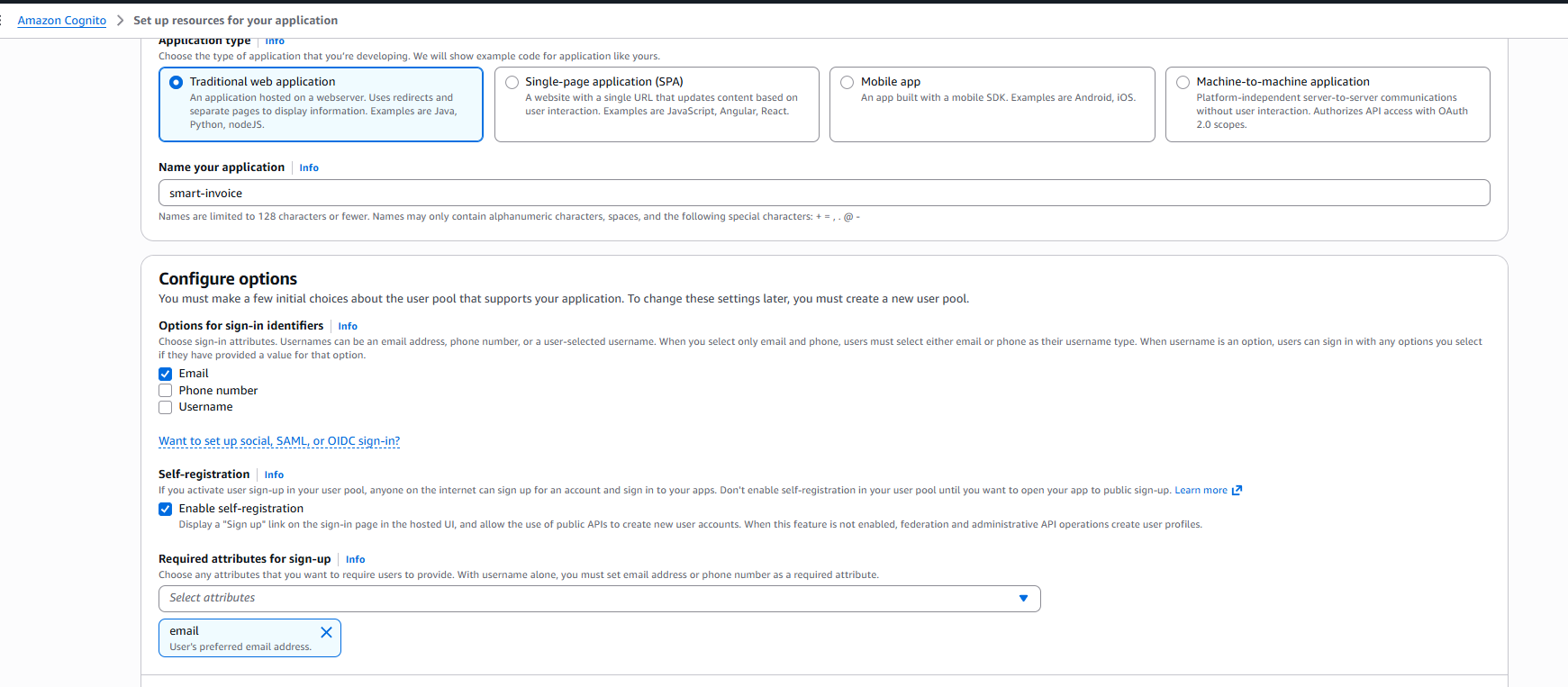
9.1 Create User Pool
Console: Cognito → Create user pool
| Field | Value |
|---|---|
| Application type | Traditional web application |
| App client name | smart-invoice |
| Sign-in identifiers | |
| Self-registration | ✅ Enable |
| Required attributes |
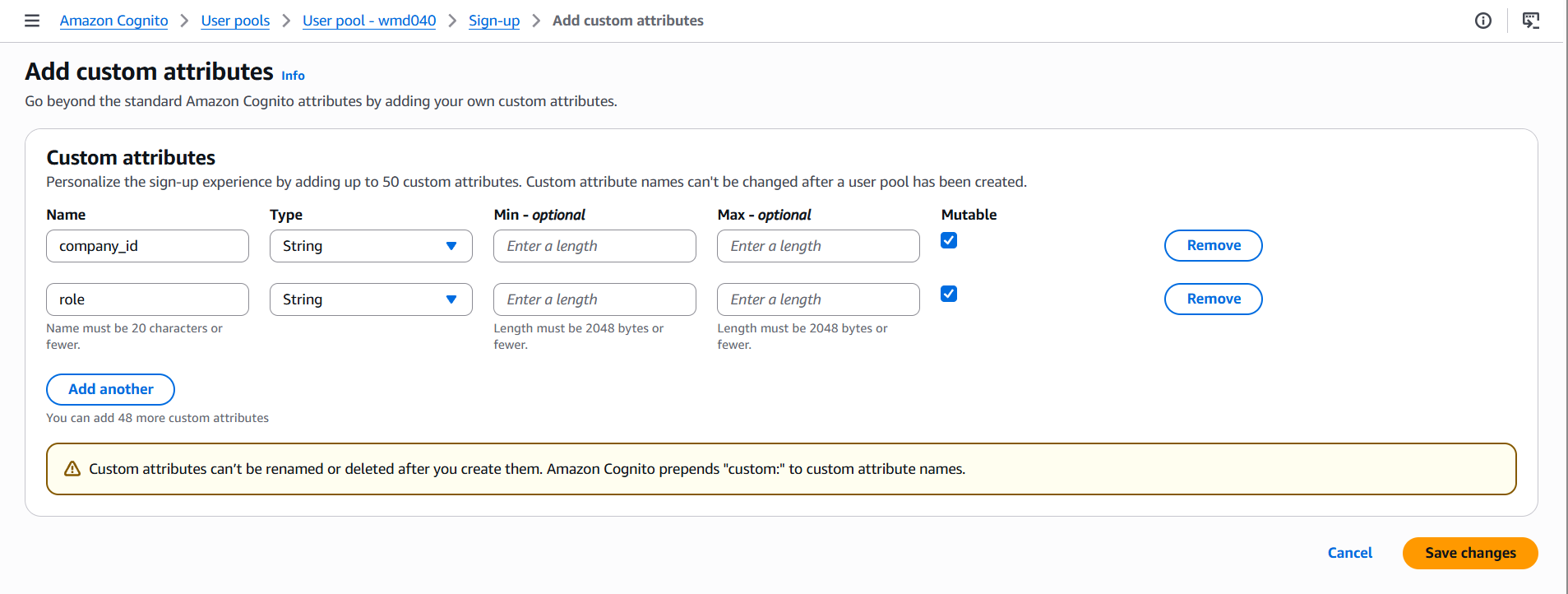
9.2 Add Custom Attributes
User Pool → Authentication → Sign-up → Add custom attributes:
company_id(String)role(String)
→ Save
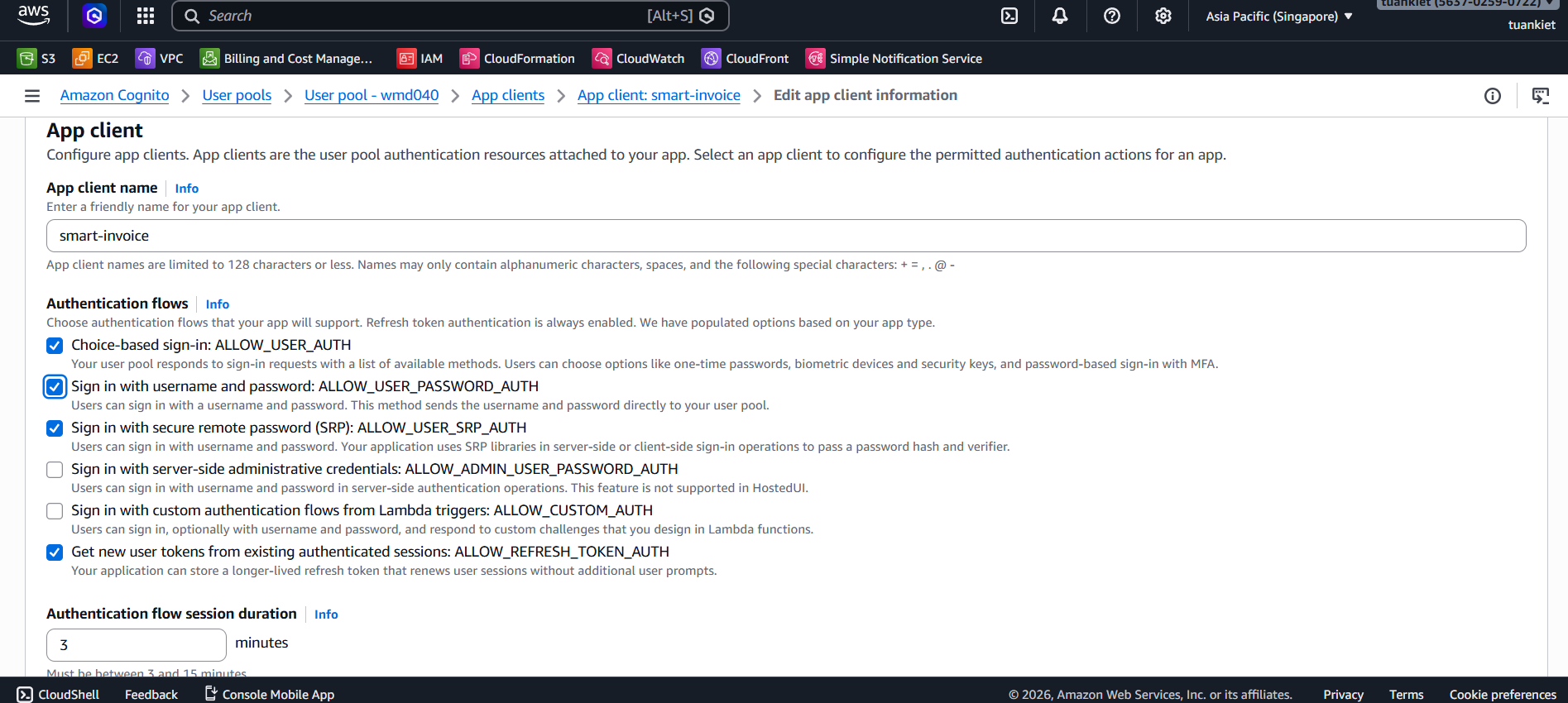
9.3 Enable Password Auth
App clients → smart-invoice → Edit → ✅ ALLOW_USER_PASSWORD_AUTH → Save
9.4 Note Down Credentials
| Information | Where to find |
|---|---|
| User Pool ID | Overview (ap-southeast-1_XXX) |
| Client ID | App clients |
| Client Secret | App clients → Show |
Step 10: Create SQS Queues
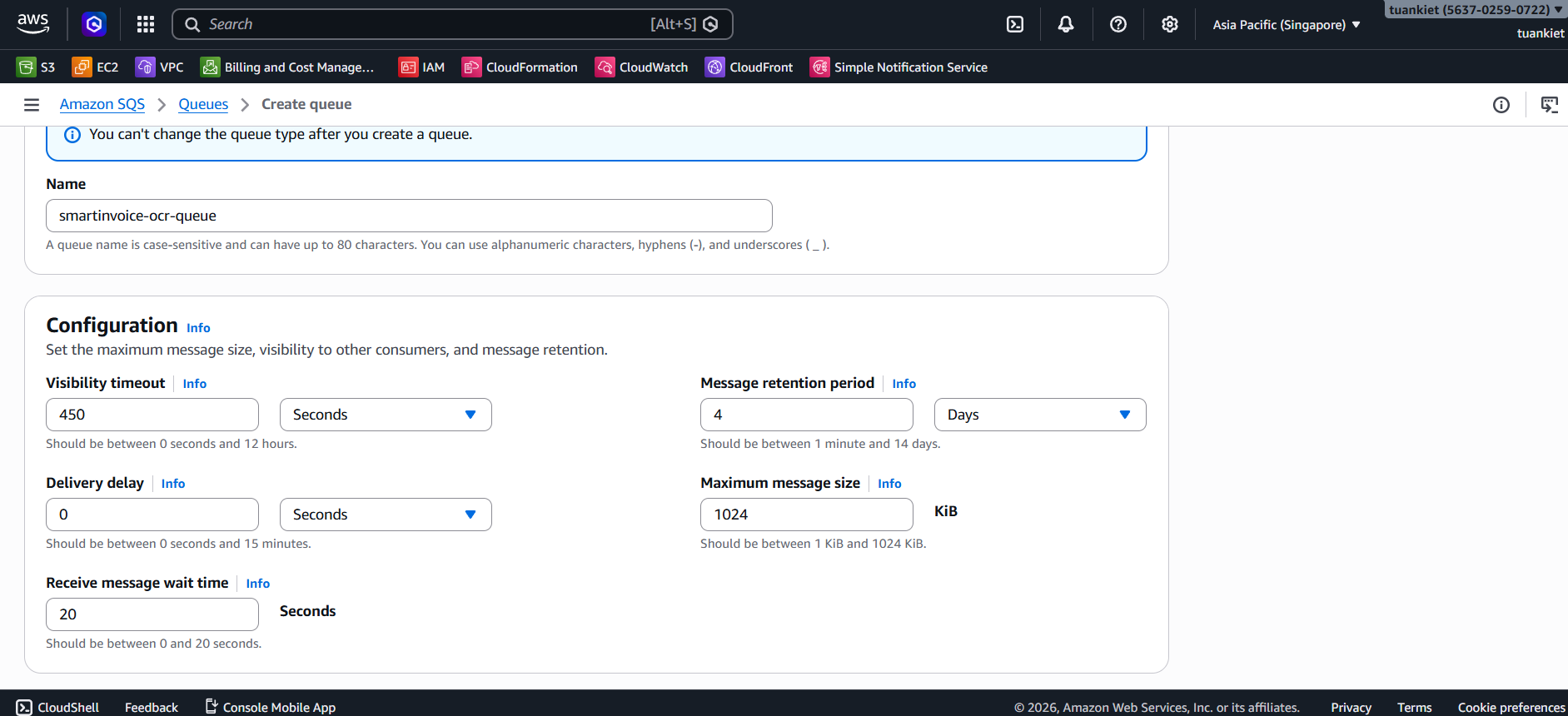
Queue 1: OCR Queue
Console: SQS → Create queue
| Field | Value |
|---|---|
| Type | Standard |
| Name | smartinvoice-ocr-queue |
| Visibility timeout | 450 seconds |
| Receive message wait time | 20 seconds |
Queue 2: VietQR Queue
| Field | Value |
|---|---|
| Type | Standard |
| Name | smartinvoice-vietqr-queue |
| Visibility timeout | 30 seconds |
| Receive message wait time | 20 seconds |
→ Note down the Queue URL for both queues.
Step 11: Create SSM Parameter Store
Console: Systems Manager → Parameter Store → Create parameter
| Parameter Name | Type | Value |
|---|---|---|
/SmartInvoice/prod/COGNITO_USER_POOL_ID | String | (from Step 9) |
/SmartInvoice/prod/COGNITO_CLIENT_ID | String | (from Step 9) |
/SmartInvoice/prod/COGNITO_CLIENT_SECRET | SecureString | (from Step 9) |
/SmartInvoice/prod/AWS_SQS_OCR_URL | String | (Step 10 — OCR queue URL) |
/SmartInvoice/prod/AWS_SQS_URL | String | (Step 10 — VietQR queue URL) |
/SmartInvoice/prod/POSTGRES_HOST | String | (Step 12 — RDS endpoint) |
/SmartInvoice/prod/POSTGRES_PORT | String | 5432 |
/SmartInvoice/prod/POSTGRES_DB | String | SmartInvoiceDb |
/SmartInvoice/prod/POSTGRES_USER | String | postgres |
/SmartInvoice/prod/POSTGRES_PASSWORD | SecureString | (RDS password) |
/SmartInvoice/prod/AWS_REGION | String | ap-southeast-1 |
/SmartInvoice/prod/AWS_S3_BUCKET_NAME | String | smart-invoice-shield-storage |
/SmartInvoice/prod/OCR_API_ENDPOINT | String | http://<ALB_OCR_DNS> (update after Step 14.4) |
/SmartInvoice/prod/ALLOWED_ORIGINS | String | (update after Step 17) |
Step 12: Create RDS PostgreSQL
12.1 Create DB Subnet Group
Console: RDS → Subnet groups → Create
| Field | Value |
|---|---|
| Name | smartinvoice-db-subnet-group |
| VPC | smartinvoice-vpc |
| Subnets | Both private subnets (1a + 1b) |
12.2 Create Database
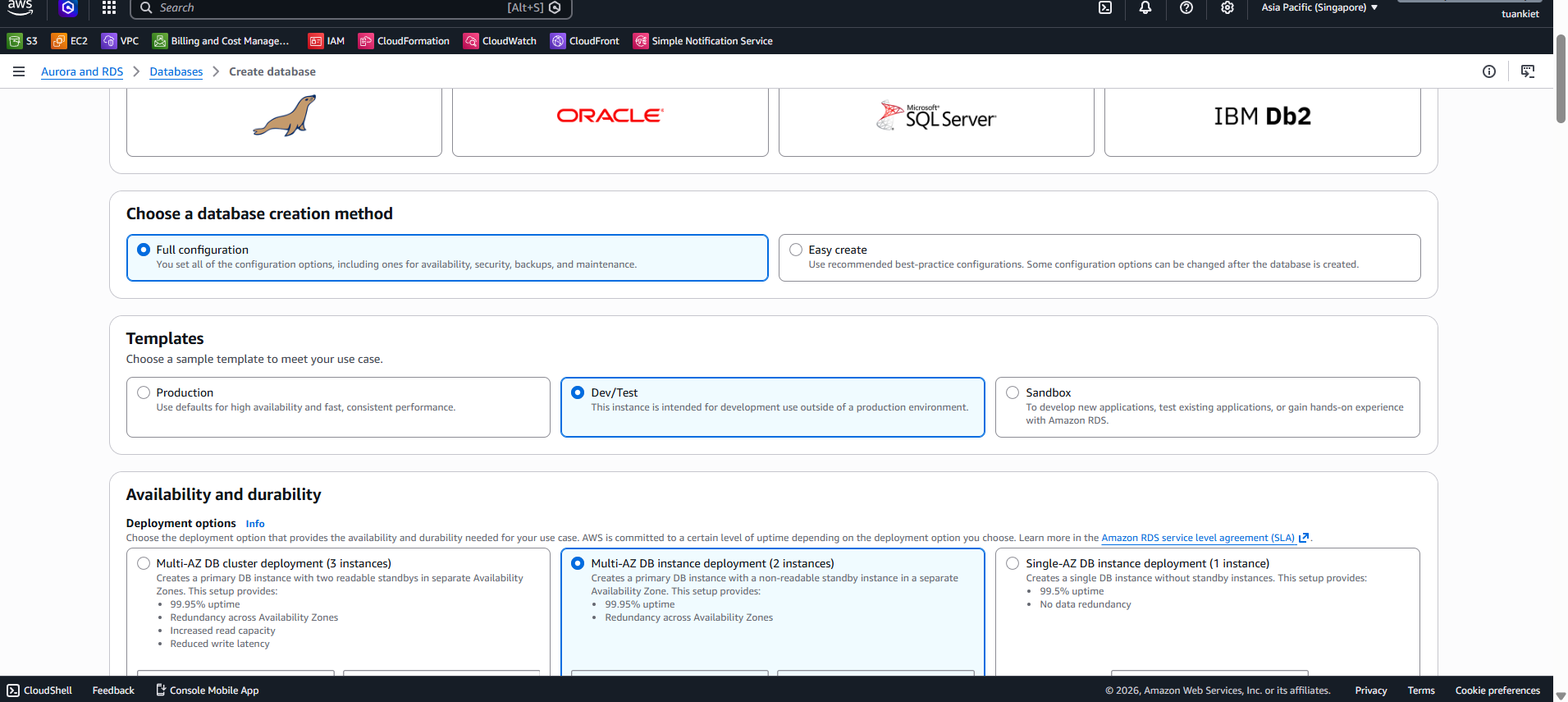
Console: RDS → Databases → Create database
| Field | Value |
|---|---|
| Engine | PostgreSQL 16.x |
| Creation method | Full configuration |
| Template | Free tier / Dev-Test |
| Deployment options | Multi-AZ DB instance deployment |
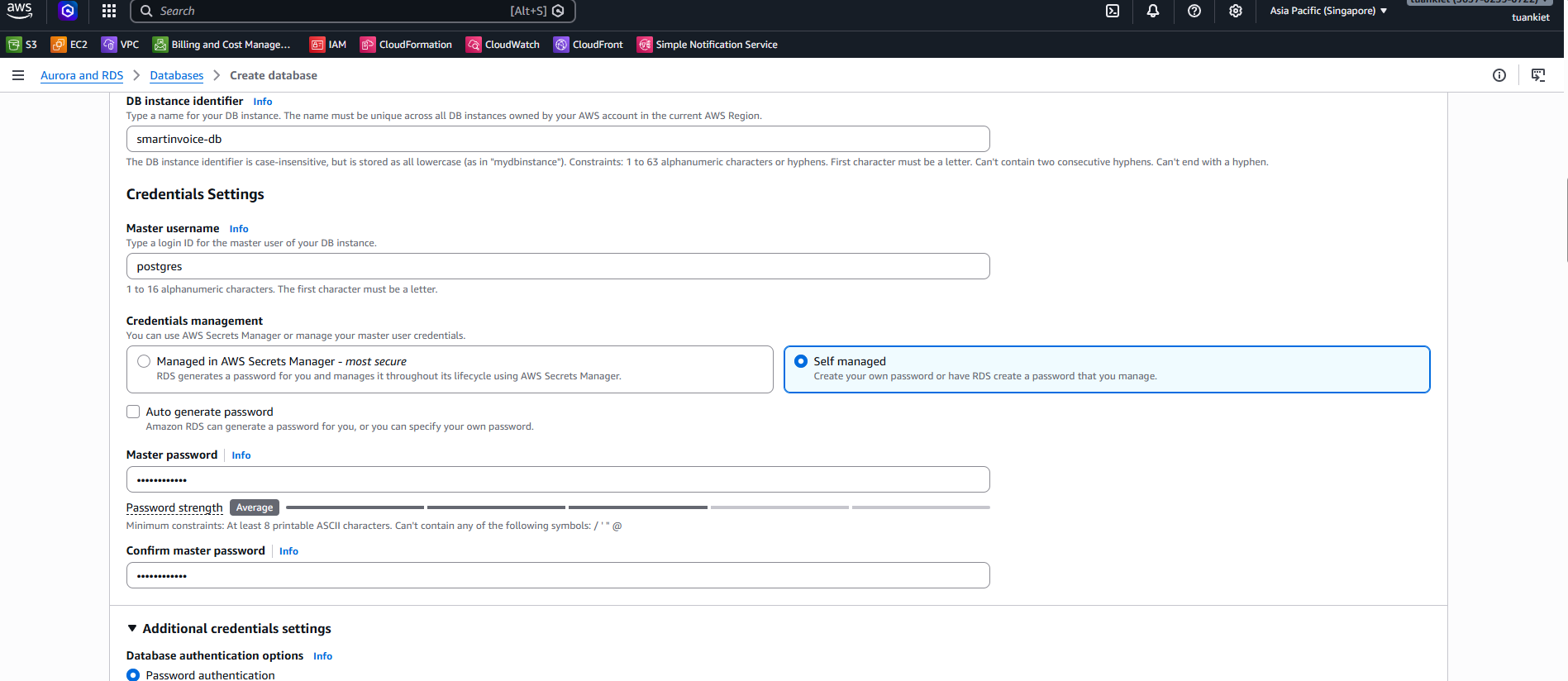
| DB identifier | smartinvoice-db |
| Master username | postgres |
| Credentials management | Self managed |
| Master password | [YOUR_SECURE_PASSWORD] |
| Instance class | db.t3.micro |
| Storage | 20 GB gp3 |
| VPC | smartinvoice-vpc |
| Subnet group | smartinvoice-db-subnet-group |
| Public access | ❌ No |
| Security group | smartinvoice-rds-sg |
| Initial DB name | SmartInvoiceDb |
| Backup retention | 7 days |
→ Wait 5–10 minutes → Note down the Endpoint → Update SSM parameter POSTGRES_HOST.